Linked CMS, HHS and ethics code pages were checked as of November 2, 2026 and can change.
A lot of practices lose clients they already had. Not to bad therapy, but to the gap between "I'm looking for a therapist" and the first session. A reply that comes three days later, a consult call with no clear next step, a pile of paperwork sent with no explanation. Each one is a chance for a nervous person to quietly go elsewhere.
Therapy client onboarding is everything that happens in that gap. Done well, it feels calm and simple to the client and takes very little of your time. This guide walks through each step, what to say, which tool should handle it, and what your website should do to help.
Key takeaways
Key takeaways
- Reply the same business day and offer two specific times. People often contact several therapists at once.
- End every consult with a booking question, not "have a think and get back to me."
- Keep clinical details in your practice software. The website collects contact details only. Paperwork goes through a secure portal, not email attachments.
- Track three numbers monthly: inquiries, consults and first sessions. Where the number drops tells you what to fix.
- Your website is the step before Step 1. Smart Psych Websites builds it from $99 a month, with the setup fee waived when you sign up within 72 hours of viewing your free preview (never charged on yearly plans).
Why onboarding matters more in therapy
Reaching out for therapy is hard. Many people search for weeks before they send a single message, and many contact several therapists at once. The first practice that replies kindly, answers the practical questions and offers a specific time often gets the booking.
You see this in the threads therapists post about consult calls that go well and then go quiet. It is rarely about the clinician. It is usually about friction: a slow reply, an unclear fee, a booking link that does not work on a phone, or too many steps before the first session.
The five steps of therapy client onboarding
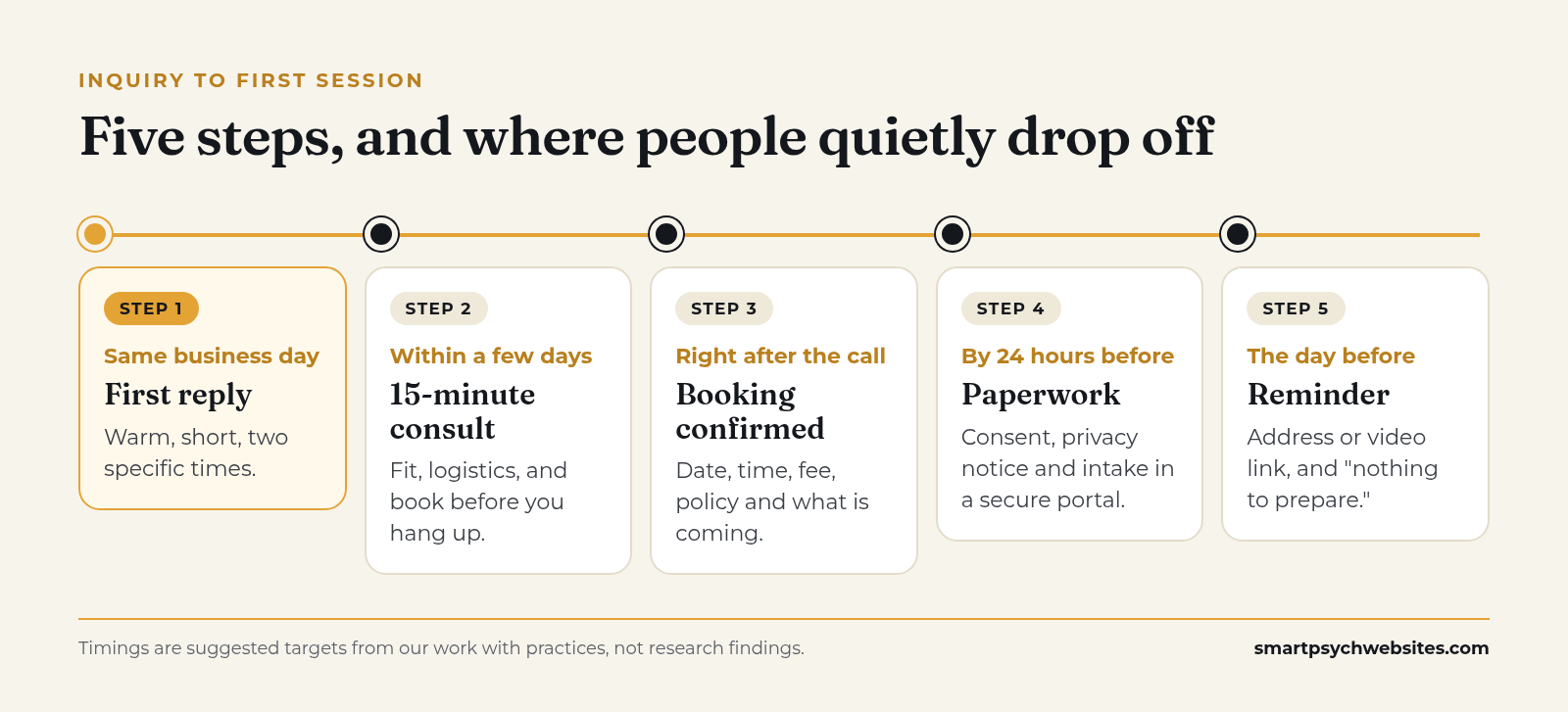 Suggested targets. Set ones you can keep, and post your reply window on your contact page.
Step 1: The first reply
Goal: reply fast, warmly and with a specific next step.
Set a reply window you can keep, such as same business day, and post it on your contact page so people know what to expect. Then make the reply easy to say yes to by offering two specific times instead of "let me know when works."
"Hi Sam, thanks for reaching out. I'd be glad to set up a free 15-minute call to see if we're a good fit. I have Thursday at 12:30 or Friday at 4:00. Would either work? If not, send me two times that suit you."
Notice what that reply avoids: clinical questions, long explanations, and anything the person needs to think hard about. Keep health details out of email and text where you can, and move clinical conversation to the phone or your practice software.
If you cannot reply quickly, set up an auto-reply that confirms the message arrived, says when you will respond, and gives crisis resources. For example: "If you are in crisis, call or text 988 or go to your nearest emergency room."
Step 2: The consultation call
Goal: confirm fit, cover logistics and book before you hang up.
A 15-minute consult works well when it has a simple shape:
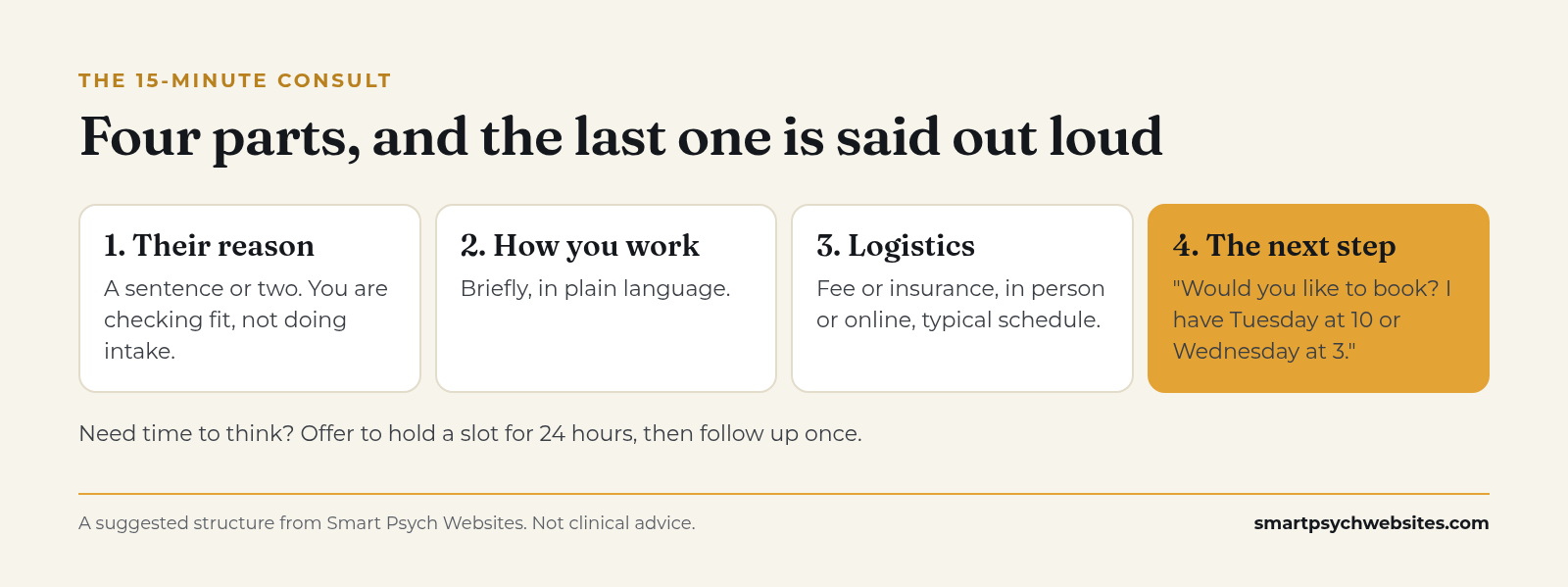 End with a booking question, not "have a think."
- Their reason for reaching out, in a sentence or two. You are checking fit, not doing an intake.
- How you work, briefly, in plain language.
- Logistics: fee or insurance, in person or telehealth, typical schedule.
- The next step, said out loud: "Would you like to book a first session? I have Tuesday at 10 or Wednesday at 3."
The most common leak is ending the call with "Have a think and get back to me." Some people need time, and that is fine. Offer to hold a time for 24 hours, then send a short follow-up.
If you are not the right fit, say so kindly and give one or two specific referrals. People remember that.
Step 3: Booking and payment details
Goal: confirm the appointment in writing, with everything they need.
Your confirmation should include the date, time, location or telehealth link instructions, the fee or insurance arrangement, your cancellation policy, and what paperwork is coming. If you use practice management software, its confirmation can do most of this automatically.
For private-pay and self-pay clients, federal No Surprises Act rules generally require providers to give uninsured or self-pay clients a Good Faith Estimate of expected charges. CMS has details on timing and content (CMS: No Surprises Act). Check how the rules apply to your practice and your software's built-in support for it. More on presenting fees in 4 Ways to Attract Private Pay Therapy Clients.
Step 4: Intake paperwork
Goal: collect what you need, securely, without overwhelming them.
Typical intake paperwork includes:
- Informed consent for treatment, including confidentiality and its limits. Ethics codes require informed consent; see, for example, Standard 10.01 of the APA code (APA Ethics Code) and Section A.2 of the ACA code (2014 ACA Code of Ethics, PDF).
- Notice of Privacy Practices. HIPAA covered entities must provide one and, for direct treatment providers, make a good faith effort to get written acknowledgment of receipt (HHS: Notice of Privacy Practices).
- Practice policies: fees, cancellations, communication, and how to reach you between sessions.
- Telehealth consent, if you offer sessions online. Requirements vary by state.
- Intake questionnaire and any screening measures you use.
Send paperwork through a secure client portal, not as email attachments. Tell people roughly how long it takes ("about 15 minutes") and the deadline ("by 24 hours before your first session"). If your website has a "What to expect" page, link to it here. For how forms and portals fit with your website, see HIPAA Compliant Website Builder.
Keep it short where you can. Each extra page is a chance for someone to stall. Ask what you actually use.
Step 5: Before the first session
Goal: reduce no-shows and nerves.
A reminder the day before (or two days before, for morning sessions) with the time, address or video link, parking or building tips, and a short note like "First sessions are mostly about getting to know you. There's nothing you need to prepare." This one message does a lot for first-session anxiety.
If paperwork is not done, a friendly nudge in the same reminder saves you ten minutes at the start of the session.
Which tool handles each step
Most of the work in onboarding belongs to your practice management software, not your website. Keeping them separate keeps clinical information in the system built for it.
| Step | Your website | Your practice software |
|---|---|---|
| Before Step 1 | Fees, "What to expect," reply time, crisis line, a contact form that asks nothing clinical | Nothing yet |
| 1. First reply | Sends a non-clinical contact form to your inbox | Auto-reply or message, if your software offers one |
| 2. Consult call | A booking button that links to your scheduler | Consult scheduling and reminders |
| 3. Booking | Links straight to booking | Appointment, fee, policy and Good Faith Estimate |
| 4. Paperwork | A "What to expect" page you can link to | Secure portal for consent, privacy notice and intake |
| 5. Reminder | Directions, parking and telehealth tips you can link to | Automated reminders |
Typical setup. Features vary by practice software, so check yours.
What your website should do for onboarding
Your website is the step before Step 1. It sets expectations, answers practical questions, and makes reaching out easy.
- Fees and insurance on a clear page. It filters out poor fits before the consult and saves both of you time.
- A "What to expect" or "Getting started" page. Lay out the five stages above in plain language: you reach out, we reply within one business day, we have a 15-minute call, you book, you complete paperwork in our portal.
- A contact form that asks nothing clinical. Name, best way to reach you, best time. Add a note asking people not to include health details.
- Tap-to-call on mobile and a booking link that works on a phone.
- Your reply time stated next to the form.
- Crisis resources visible on the contact page.
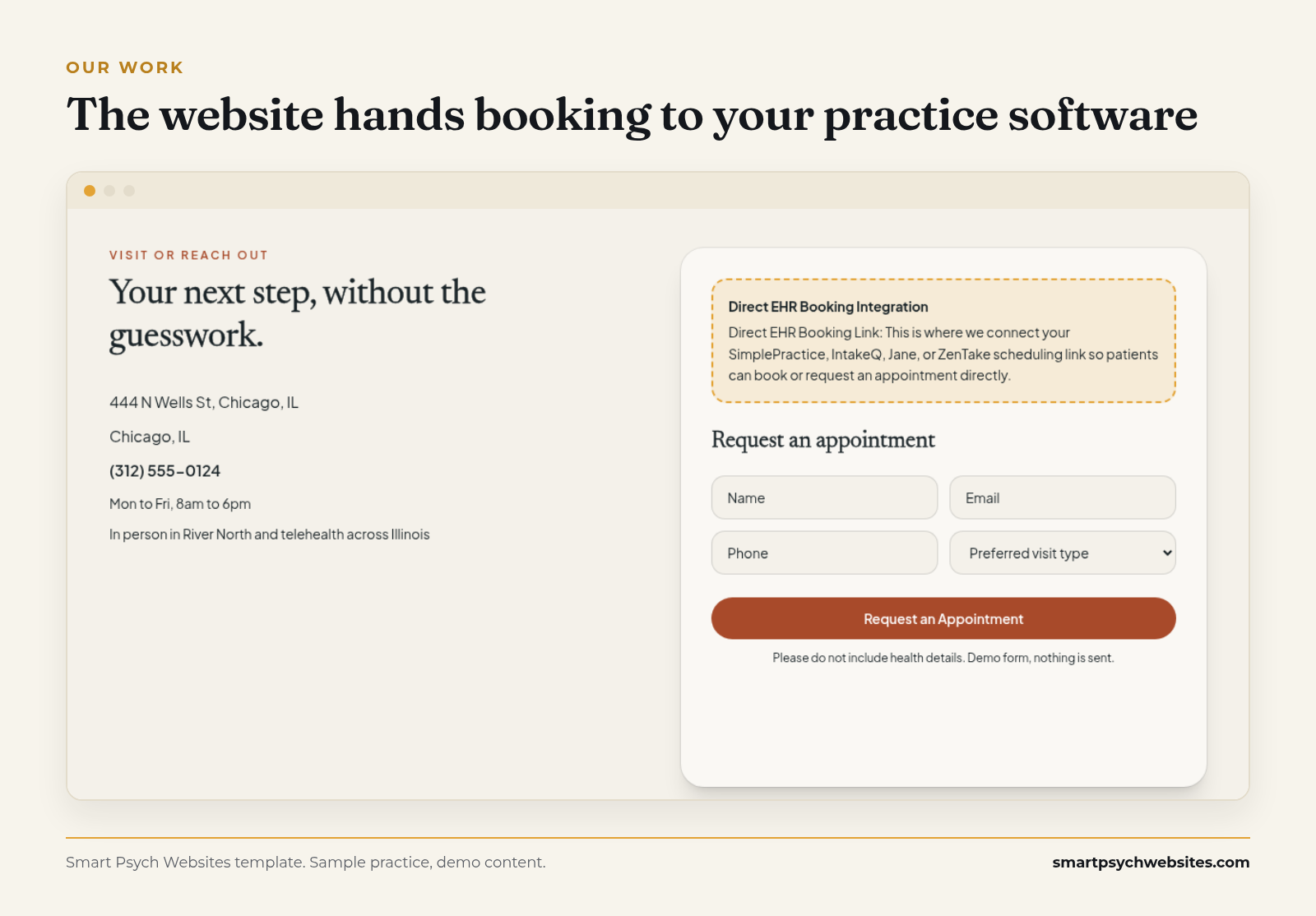 The site collects only contact details and links straight to your scheduling software. Sample practice, demo content.
That is how we build every Smart Psych Websites contact page. Plans start at $99 a month, the setup fee is waived when you sign up within 72 hours of viewing your free preview, and yearly plans never pay one, you own the site, content and domain from day one, and you launch in 5 days after onboarding. No call is needed to sign up.
See your free website preview. We build your practice on one of our mental health templates, with your details, free and with no call needed.
If your site does not do these, the onboarding you build after Step 1 has to work harder. For the page-by-page build, see Healthcare Website Design That Turns Visits Into Calls.
A simple follow-up ladder
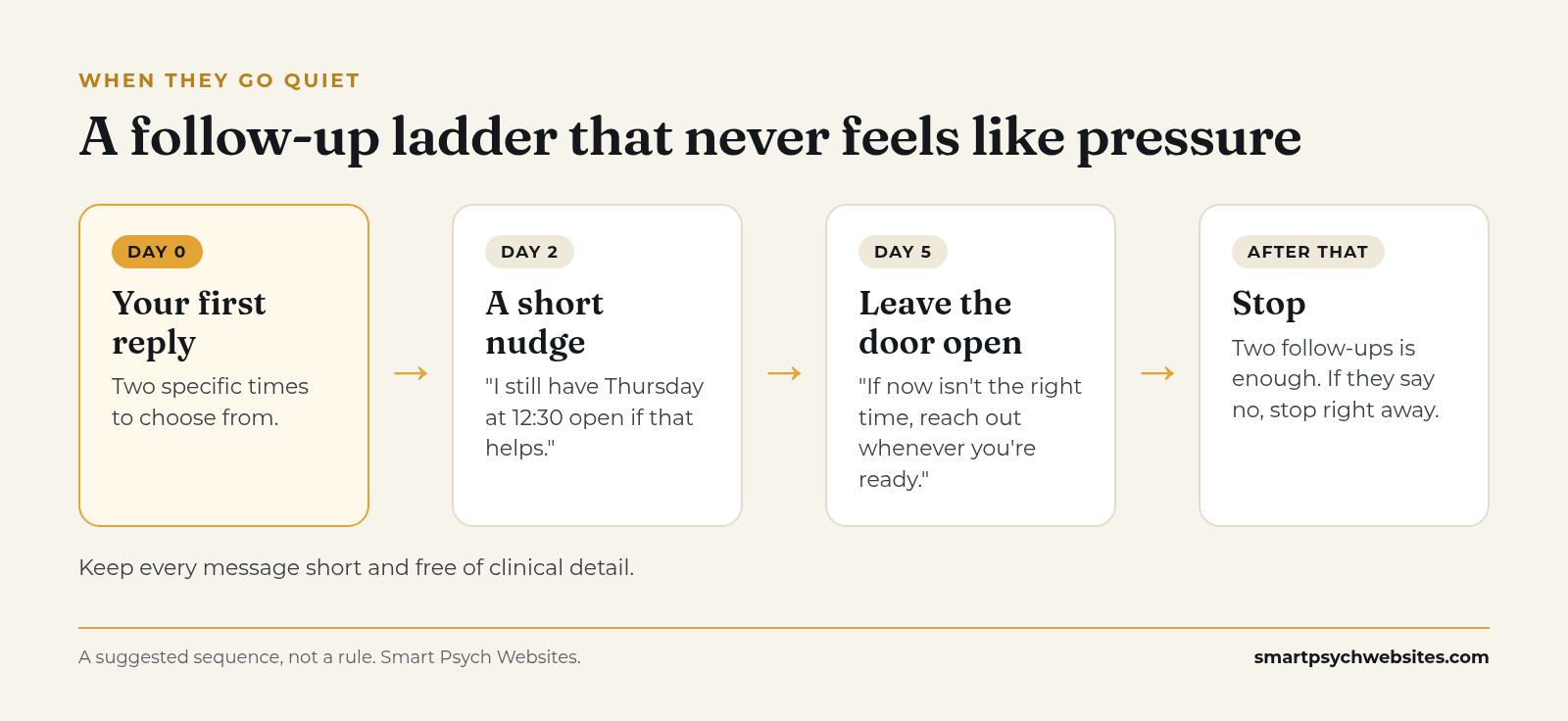
Not everyone books on the first try. A short, respectful follow-up sequence catches people who meant to reply and got busy:
 Two follow-ups is enough.
- Day 2: "Just checking you saw my message. I still have Thursday at 12:30 open if that helps."
- Day 5: "No pressure at all. If now isn't the right time, you're welcome to reach out whenever you're ready."
- Then stop. Two follow-ups is enough. More can feel like pressure to someone who is already struggling.
Keep each message short and free of clinical detail. If someone says no or asks you to stop, respect it right away.
Onboarding in a group practice
Group practices add one more step: matching. Someone, often an intake coordinator, needs to route each inquiry to the right clinician quickly.
A few things help:
- One shared inbox and one phone line, with clear ownership.
- A short internal matching guide: specialties, ages, availability, fees.
- Clinician bio pages on your website that make it easy for clients to say "I'd like to see Dr. Rivera."
- A rule that every inquiry gets a reply the same business day, even if it is "We're matching you now, you'll hear from us by tomorrow."
More on running marketing for a group in Group Practice Marketing.
Track three numbers
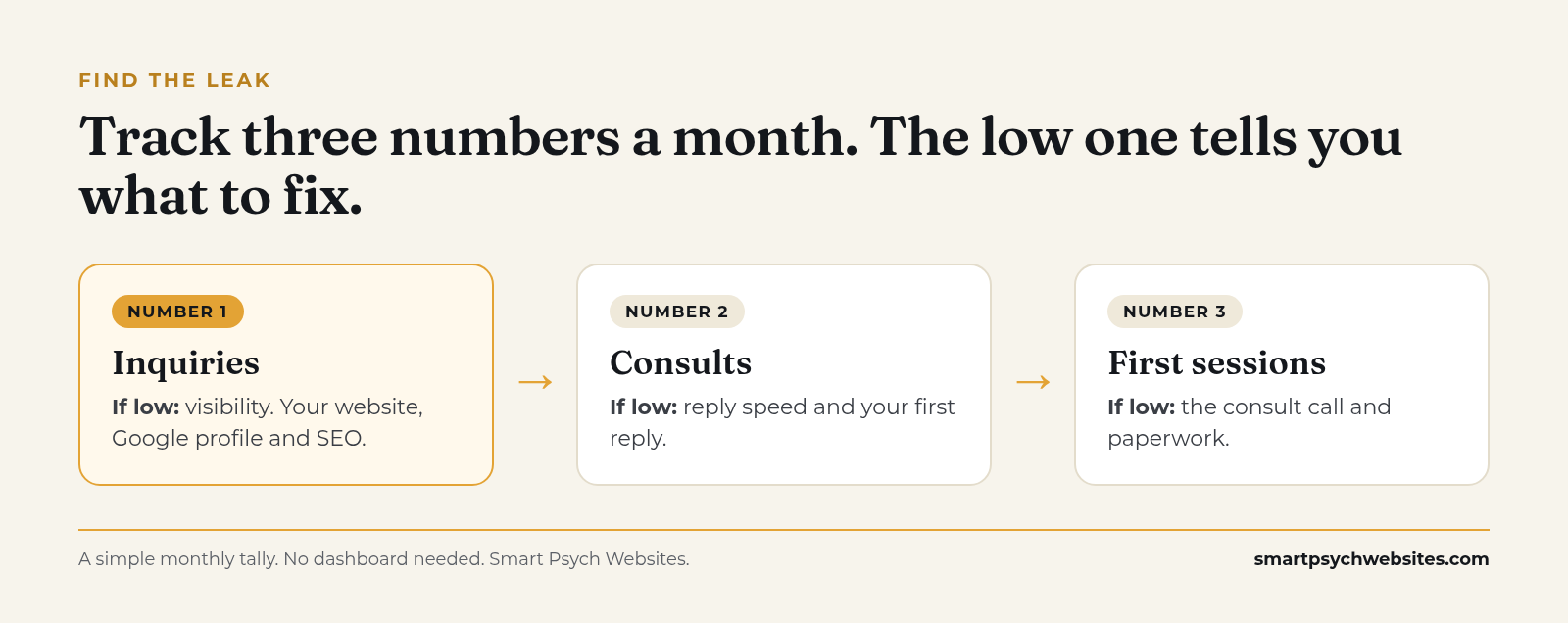
You do not need a complicated dashboard. A simple monthly tally tells you where people drop off:
 Where the number drops tells you where to look.
- Inquiries: how many people reached out.
- Consults: how many had a call.
- First sessions: how many booked and attended.
If inquiries are low, the problem is visibility. See How to Get More Therapy Clients. If inquiries are healthy but consults are low, look at reply speed and your first reply. If consults are healthy but first sessions are low, look at the consult call and paperwork.
Every Smart Psych Websites plan includes a client portal that shows phone taps, booking clicks, email taps and website visits, so the top of that tally is already counted for you.
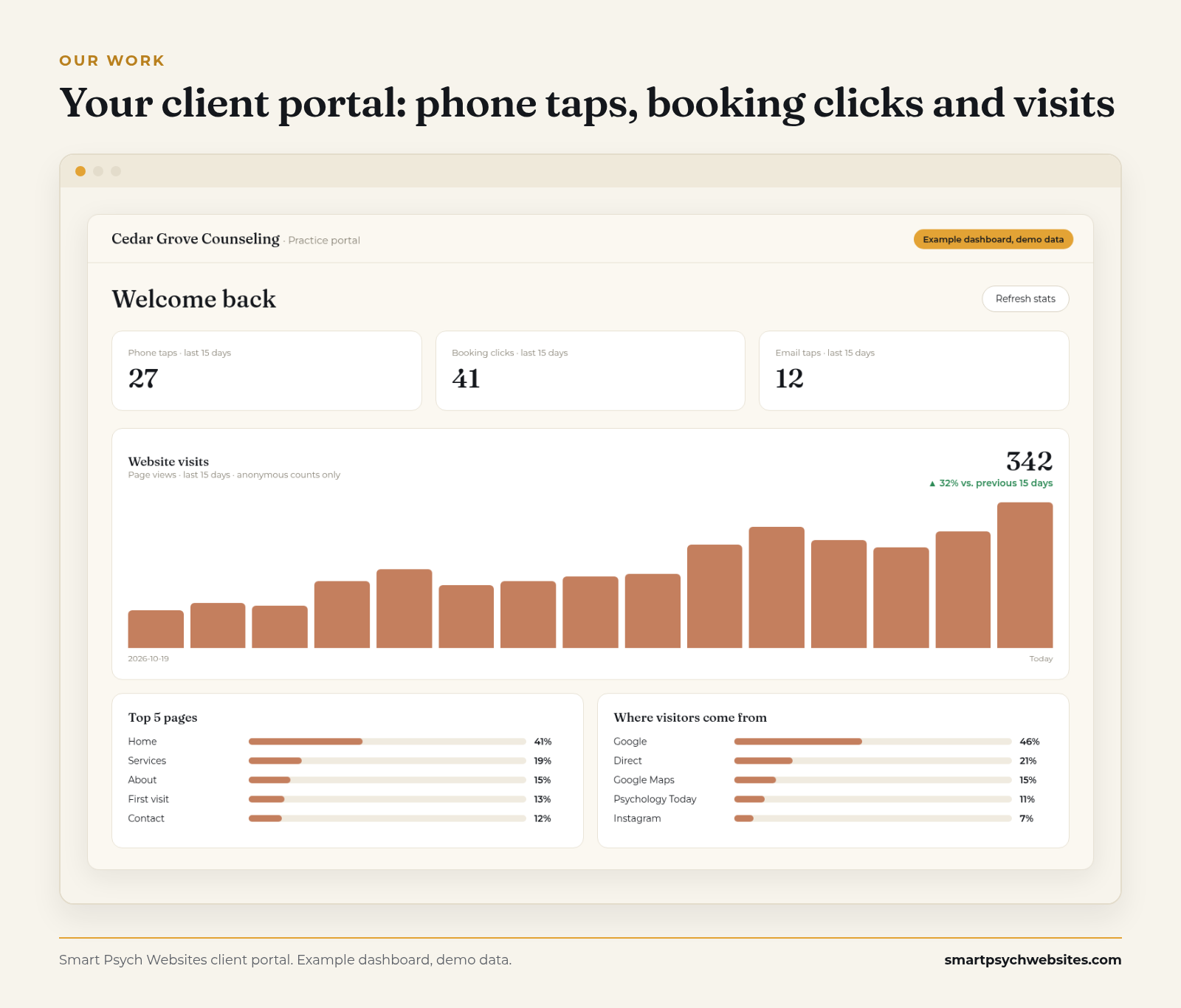 Your portal shows how many people reached out from the site, and from where. Example dashboard, demo data.
Why practices choose Smart Psych Websites
- Starts at $99 a month, with the setup fee waived when you sign up within 72 hours of viewing your free preview (never charged on yearly plans).
- Yours from day one: you own the site, content and domain.
- Live in 5 days after onboarding. Your first draft arrives 3 business days after onboarding, with 3 revision rounds.
- Built for SEO and structured to show up in Google and answer engines, so more of the right people reach Step 1.
- Hosting, traffic reports and a client portal included. Request edits in the portal and we make them within 48 hours.
- Organic Growth ($249 a month) adds four SEO articles a month. Local Domination ($499 a month) adds Google Business Profile management plus review collection and responses.
- Our Organic Growth and Local Domination plans can include a 90-day growth guarantee, offered case by case to eligible practices. If we miss the agreed target, your next month is free.*
- No call needed to sign up. Browse templates or compare pricing.
*Eligibility is confirmed on a quick call. The target is at least 5 organic website inquiries or 500 visitors a month, measured over your first 90 days on the plan.
Honest limits: what a website can and cannot do for onboarding
- We do not run your intake. Consent forms, intake questionnaires, Good Faith Estimates and reminders live in your practice software. We link your site to it.
- We do not reply to inquiries for you. The reply speed in Step 1 is yours or your coordinator's.
- If you do not have practice software yet, we will recommend a HIPAA-compliant partner based on your practice's goals and size.
- Cancel anytime: give 15 days' notice and we export your full site code and content. The 90-day window only matters if you want to redeem the growth guarantee; leaving earlier just means the guarantee does not apply.
See your free website preview
Want a website that starts onboarding well before Step 1?
See your free website preview. We build your practice on one of our mental health templates, with your details, free and with no call needed.
Plans start at $99 a month. The setup fee is waived when you sign up within 72 hours of viewing your preview (or within 24 hours after a booked call, whichever ends later), and yearly plans never pay a setup fee.