Vendor help and pricing pages and HHS guidance were checked as of November 2, 2026 and can change.
"HIPAA compliant website builder" is one of the most searched phrases among clinicians shopping for a site, and one of the most misunderstood. Many people assume that if the builder says "HIPAA compliant," the website is handled. It is not that simple. A platform can support compliance. Whether your practice is compliant depends on what the site collects, where that information goes, who has signed what, and how you set it all up.
This guide explains what HIPAA actually asks of a practice website, what each kind of builder does and does not cover, and a practical setup that keeps most mental health practices on safe ground. It is general information, not legal advice. For your specific situation, talk to a healthcare attorney or a HIPAA compliance consultant.
Key takeaways
Key takeaways
- Your website is not compliant on its own. Your setup is. HIPAA cares about what the site collects and where it goes.
- Most "HIPAA compliant" builders cover only some features. Squarespace covers only Acuity Scheduling. Wix requires a Business plan or higher and a PHI setting.
- The simplest safe setup: an informational public site, a first contact form that asks nothing clinical, and intake inside practice software that signs a BAA.
- Keep ad pixels off contact, booking and intake pages. HHS says a cookie banner is not a HIPAA authorization.
- Smart Psych Websites builds that setup for you, from $99 a month, with the setup fee waived when you sign up within 72 hours of viewing your free preview (never charged on yearly plans).
First: does HIPAA apply to your practice?
HIPAA applies to "covered entities," which include health care providers who transmit health information electronically in connection with certain standard transactions, such as billing insurance electronically (HHS: Covered Entities and Business Associates). Most therapists and psychiatric practices that bill insurance are covered entities. Some cash-only practices may not be, but many follow HIPAA anyway because clients expect it, their practice software is built around it, and state privacy laws may apply regardless.
If you are not sure which group you are in, use the HHS tool linked on that page or ask your compliance advisor. The rest of this guide assumes you are covered or choose to act as if you are.
What HIPAA means for a website
Your website itself is not "HIPAA compliant" or "not compliant" in the abstract. What matters is whether it creates, receives, stores or transmits protected health information (PHI), and if so, whether that is handled properly.
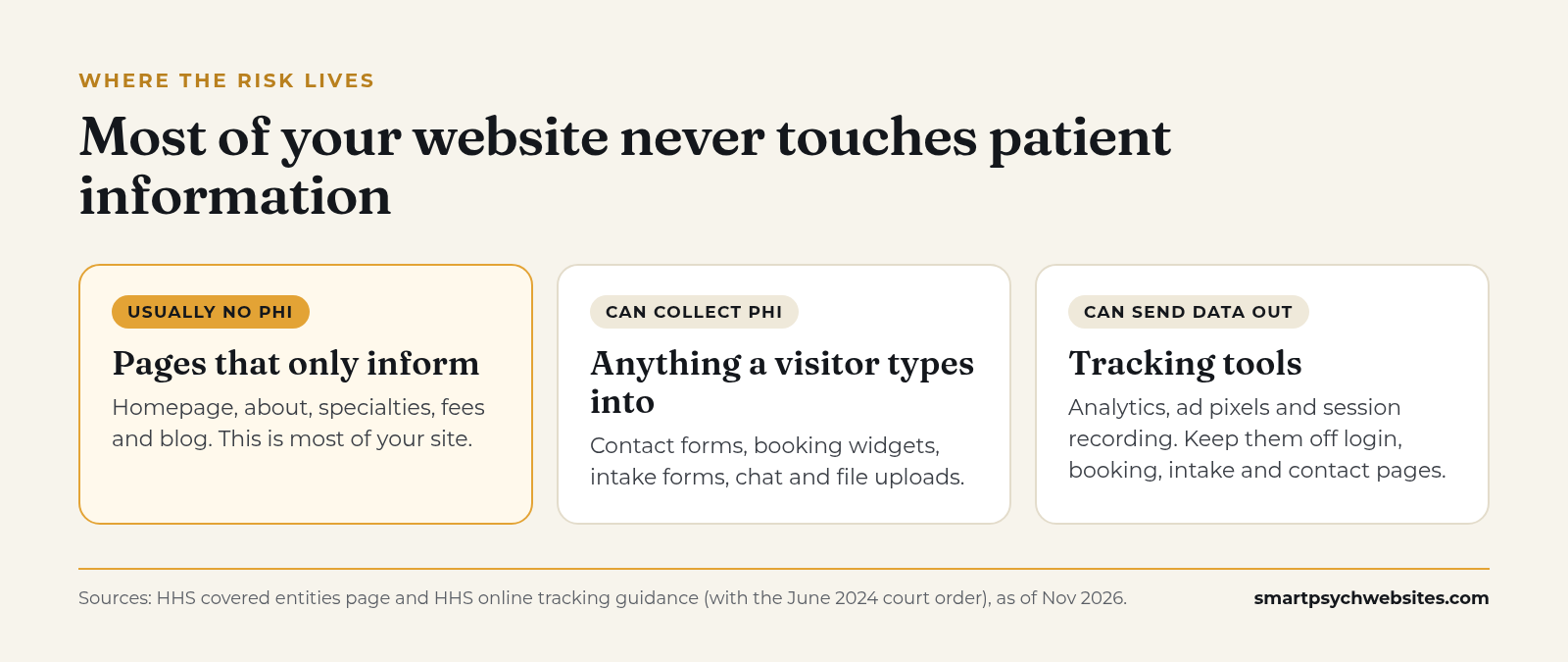 Most of your site lives in the first zone. The risk lives in the second and third.
Pages that only share information
A homepage, about page, specialty pages, fees page and blog that do not collect anything from visitors generally do not handle PHI. Most of your site falls here.
Anything that collects information from a visitor
Contact forms, booking widgets, intake forms, chat tools and file uploads can collect PHI. If a visitor types "I'm looking for help with panic attacks, my name is Jordan, here is my number," that message is health information tied to an identifiable person.
Tracking tools
Analytics scripts, advertising pixels and session recording tools can send visitor information to third parties. HHS guidance on online tracking technologies says that tracking on pages where people log in, book appointments or enter health details can involve PHI, and that a cookie consent banner is not a valid HIPAA authorization (HHS: Use of Online Tracking Technologies, as of Nov 2026).
One important update: in June 2024, a federal court vacated part of that guidance, specifically the portion saying HIPAA obligations are triggered when a tracker connects an IP address with a visit to a public page about health conditions or providers. HHS notes the court order at the top of the page. The rest of the guidance, including tracking on login pages, booking pages and forms, still stands.
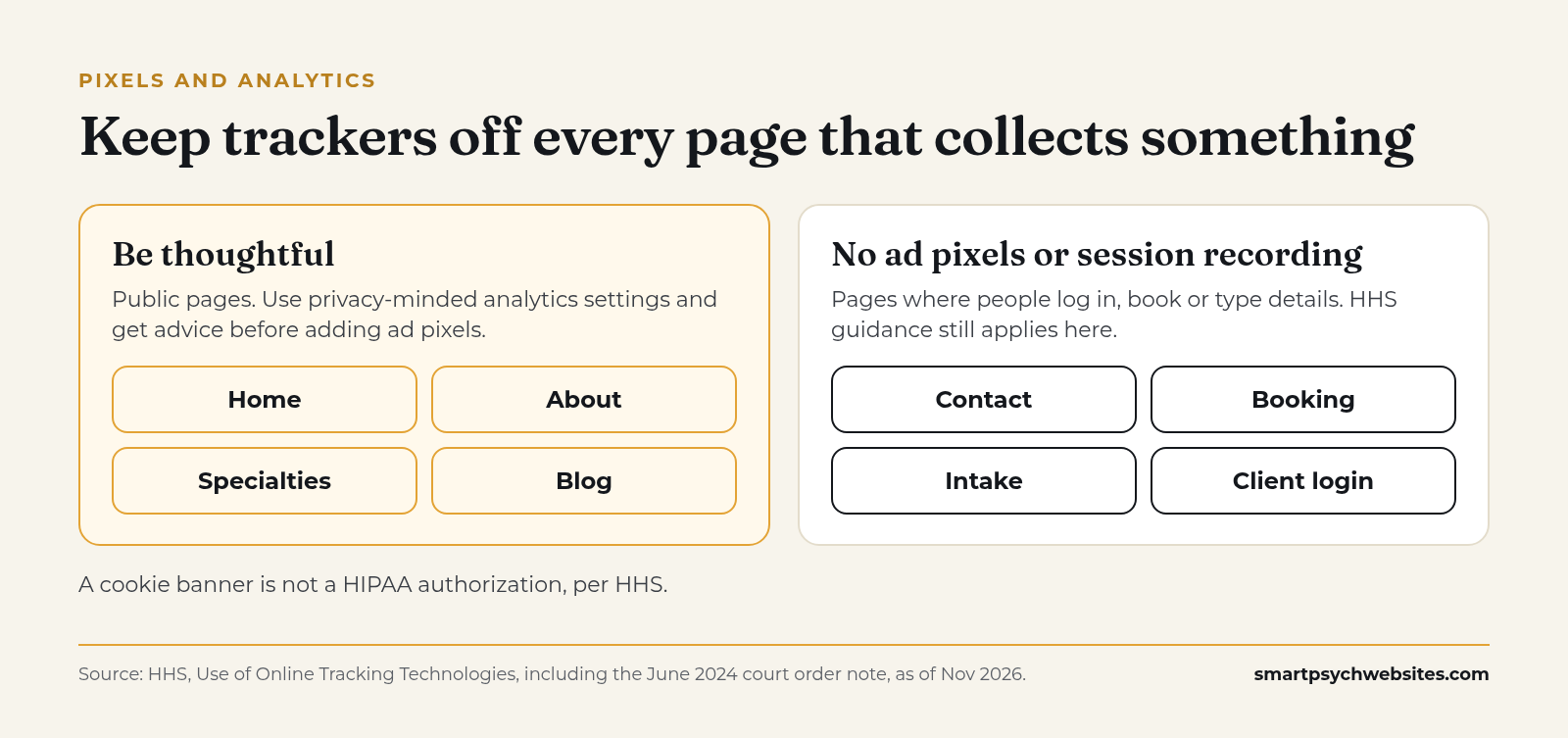 The safe reading for a small practice. A cookie banner does not change it.
Which website builders sign a BAA, and what it covers
Under HIPAA, a vendor that creates, receives, maintains or transmits PHI on your behalf is a business associate, and you need a Business Associate Agreement (BAA) with them (HHS: Sample Business Associate Agreement Provisions). When a builder says it is HIPAA compliant, it usually means a BAA plus security controls, limited to certain features. That limit is the part people miss.
| Provider | Signs a BAA? | What it covers, in the vendor's words | Source (as of Nov 2026) |
|---|---|---|---|
| Squarespace | Yes, for Acuity Scheduling only | Acuity on Powerhouse or Premium plans. Standard form blocks "can't be used as part of a HIPAA compliant solution" | Squarespace Help |
| Wix | Yes, on Business plans and up | You turn on PHI protection, then sign. Some features and apps may not be compatible. "You are responsible for how you use and configure your site" | Wix Help |
| SimplePractice | Yes, agreed at sign-up | Covers its practice platform. Its included Professional Website is a single page | SimplePractice BAA, Professional Website |
| Brighter Vision | Through Hushmail | Flourish plan lists "HIPAA Compliant Forms by Hushmail." Other plans can add Hushmail, with a BAA on Hushmail's Business tier | Brighter Vision pricing |
| TherapySites | Not stated on pricing page; ask | Lists HIPAA-compliant emails and forms, from $15 a month | TherapySites pricing |
| Smart Psych Websites | No, by design | No patient information passes through our sites. Clinical intake goes to your own HIPAA-compliant software | How it works |
Summarized from each company's public help or pricing page, checked November 2, 2026. Plans and coverage change, so confirm before you buy.
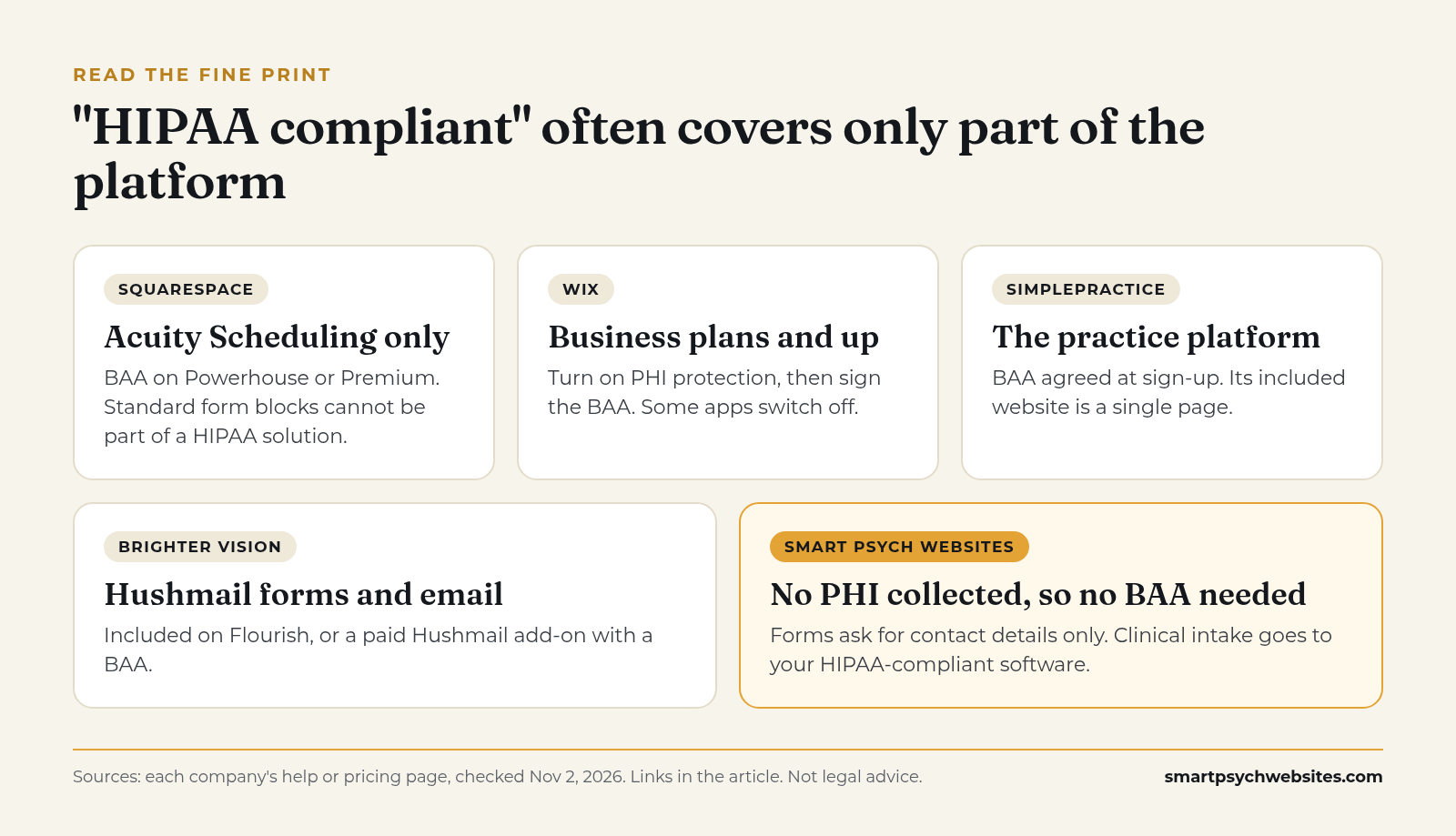 Every vendor above puts configuration on you. That is normal and fair.
No vendor can control what you put in a form, which apps you add, or who on your team reads the inbox. Also worth knowing: HHS does not run a certification program for website builders. "HIPAA compliant" on a vendor page is that vendor's description of its own product and safeguards. Ask to see the BAA.
The setup that works for most mental health practices
You do not need every page of your site to live inside a HIPAA environment. Most practices are better served by keeping the public site simple and sending anything clinical to a system built for it.
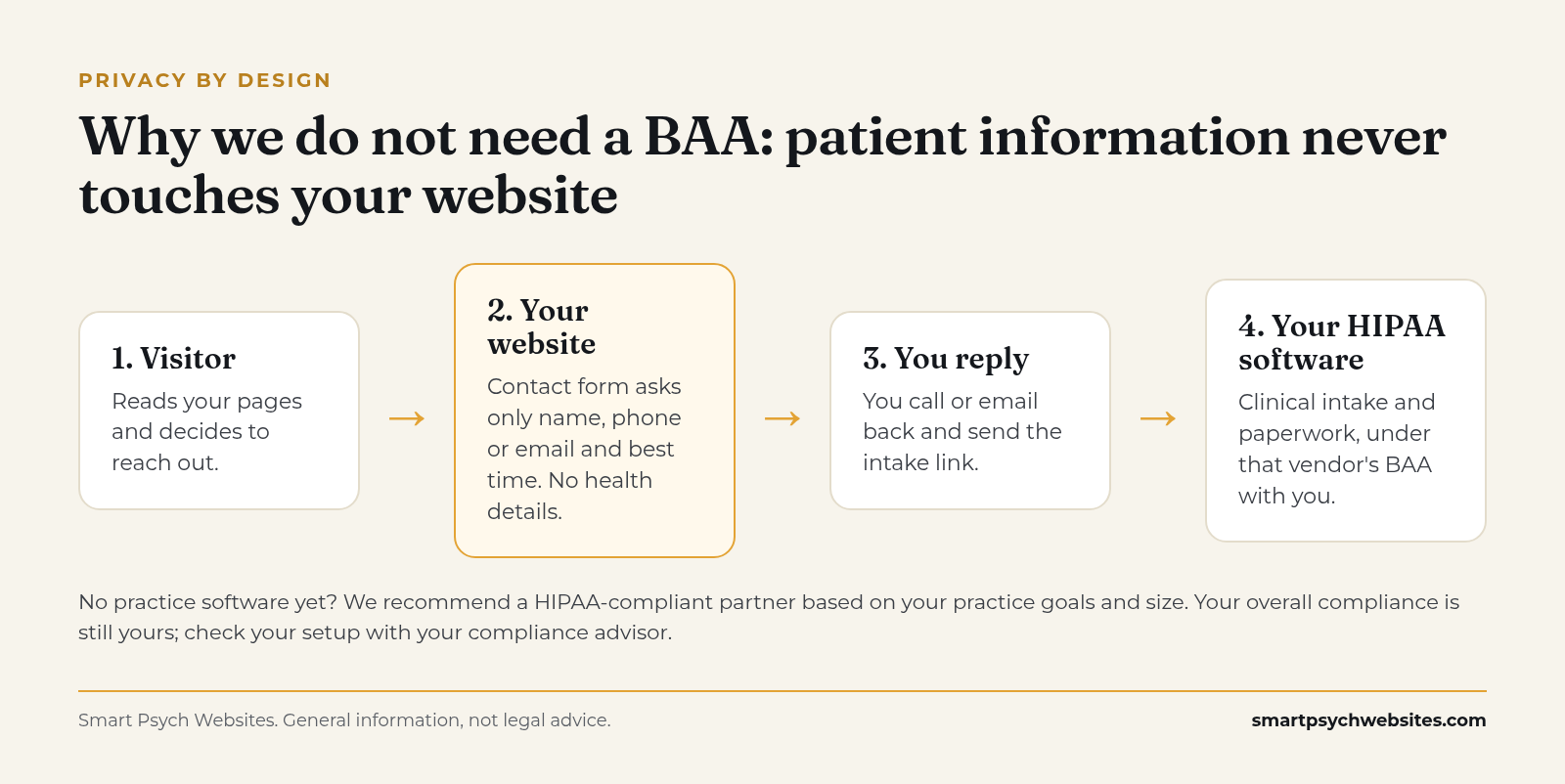 Clinical details only ever enter the system that signs a BAA with you.
Step 1: Keep the public site informational
Your homepage, specialty pages, about page, fees page and blog do the marketing work. They should be fast, clear and easy to update. For what goes on them, see Healthcare Website Design That Turns Visits Into Calls.
Step 2: Make the first contact form ask nothing clinical
Ask for a name, the best way to reach them, and a preferred contact time. Add a short note above the form: "Please do not include health details here. We will talk through what you're looking for on our first call." This does not make the form a compliant intake tool, but it sharply reduces what sensitive information flows through it.
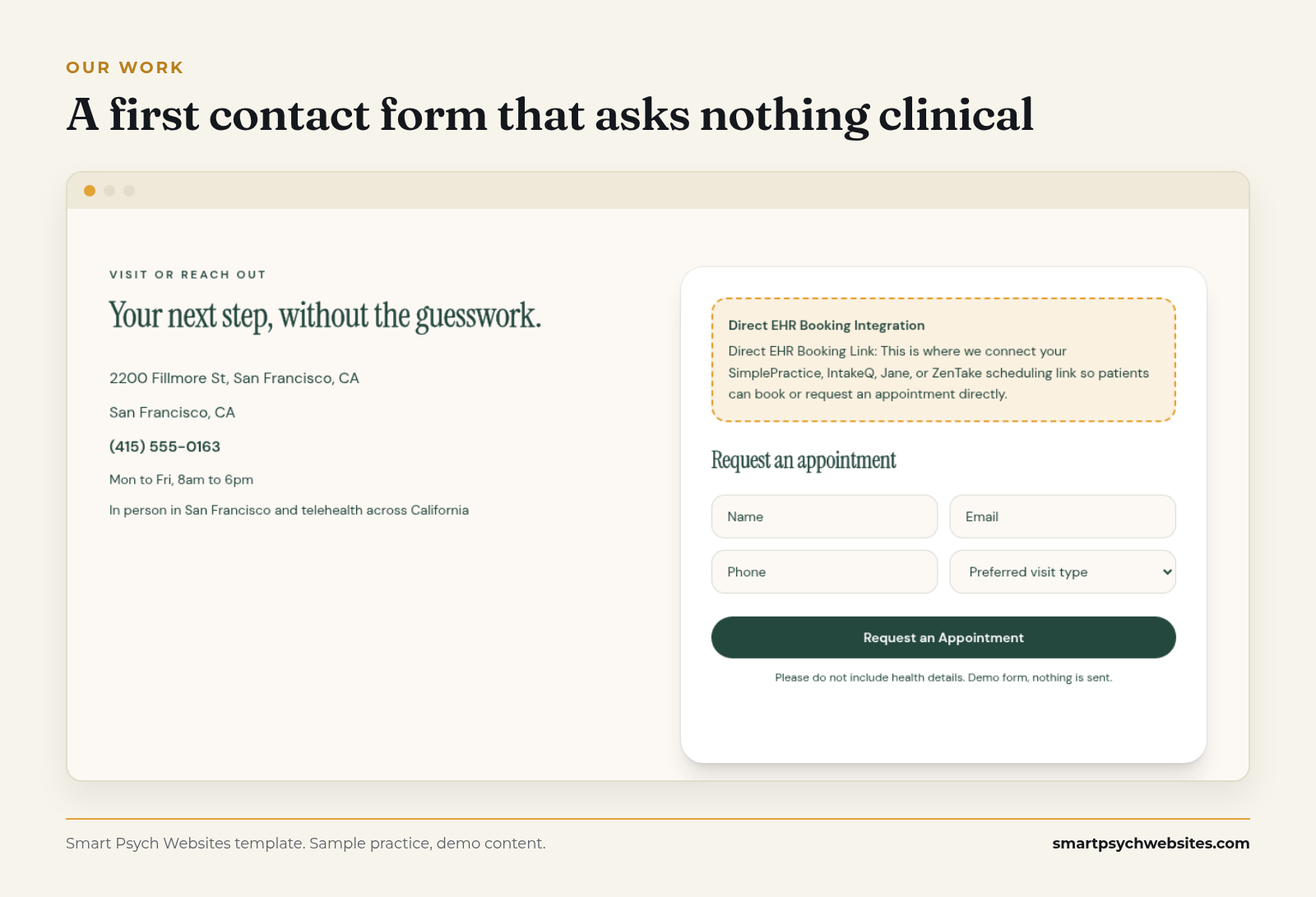 A first form that asks nothing clinical. Sample practice, demo content.
This is the form we put on every Smart Psych Websites site. Plans start at $99 a month, the setup fee is waived when you sign up within 72 hours of viewing your free preview, and yearly plans never pay one, you own the site, content and domain from day one, and you launch in 5 days after onboarding. No call is needed to sign up.
See your free website preview. We build your practice on one of our mental health templates, with your details, free and with no call needed.
Step 3: Send scheduling and intake to your practice software
If you use a practice management or EHR platform that signs a BAA, link your "Request an appointment" or "Start intake" button straight to it. Clients fill in clinical details inside that system, not on your public site.
Step 4: Keep trackers off the sensitive pages
No advertising pixels or session recording on booking, intake or contact pages. If you run ads, review how conversion tracking is set up with someone who understands both the ad platform and the HHS guidance.
Step 5: Watch the inbox, not just the website
Form notifications often go to a general email address. Confirm who reads it, whether that email provider will sign a BAA if PHI might land there, and how quickly someone replies.
Step 6: Write it down
Note what each part of your site collects, which vendors touch it, and which BAAs you have. This is the kind of documentation a compliance advisor will ask for, and it takes an hour.
Questions to ask any website builder or provider
- Will you sign a BAA? Which features or services does it cover, and which does it exclude?
- Which forms, booking tools or apps on my site are covered?
- Are form submissions stored on your servers, and for how long?
- Do you add any analytics, pixels or third-party scripts by default?
- Who on your team can see form submissions or site data?
- If I cancel, what happens to stored submissions?
Get the answers in writing. If the answer to the first question is no, that does not rule the provider out. It means you design the site so PHI never touches it, as described above.
Where Smart Psych Websites fits
Smart Psych Websites builds websites only for mental health practices: therapists, psychiatrists, PMHNPs, group practices and interventional clinics. Our job is the public site that gets you found and gets people to reach out, built on the setup this guide recommends.
We do not sign BAAs, and here is why. Our sites are designed so patient information never passes through them. Contact forms collect only non-clinical details: a name, the best way to reach someone, and a good time. Clinical intake happens in your own HIPAA-compliant practice software, under that vendor's BAA with you. If you do not have one yet, we will recommend a HIPAA-compliant partner company based on your practice's goals and size.
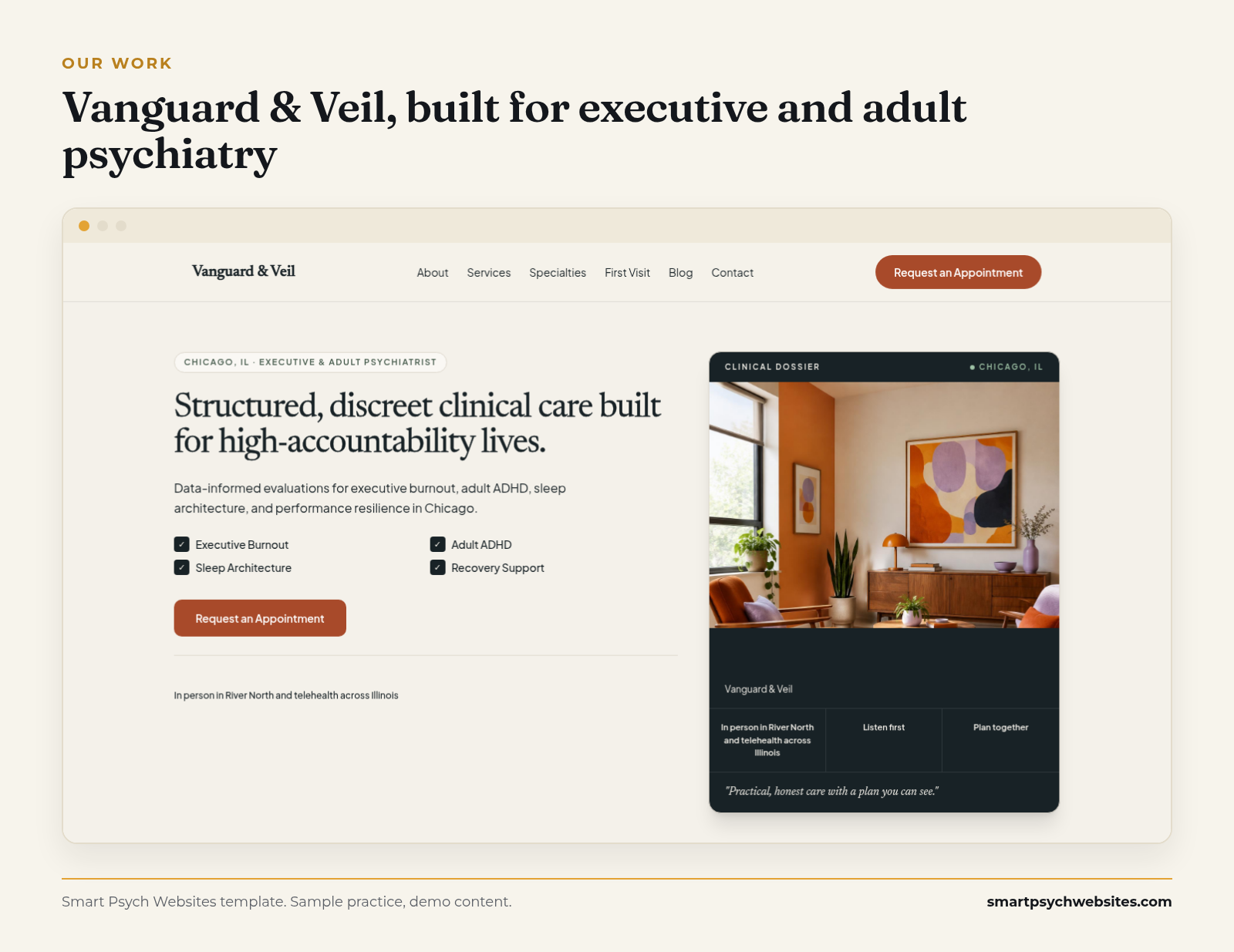 One of our newest templates, with a clear path to reach out. Sample practice, demo content.
Why practices choose Smart Psych Websites
- Starts at $99 a month, with the setup fee waived when you sign up within 72 hours of viewing your free preview (never charged on yearly plans).
- Yours from day one: you own the site, content and domain.
- Live in 5 days after onboarding. Your first draft arrives 3 business days after onboarding, with 3 revision rounds.
- Built for SEO and structured to show up in Google and answer engines.
- Hosting, traffic reports and a client portal included. Request edits in the portal and we make them within 48 hours.
- No call needed to sign up. An optional strategy call is there if you want to walk through how inquiries and intake will flow.
- Our Organic Growth and Local Domination plans can include a 90-day growth guarantee, offered case by case to eligible practices. If we miss the agreed target, your next month is free.*
Organic Growth at $249 a month adds four SEO articles a month, and Local Domination at $499 a month adds Google Business Profile management plus review collection and responses. Browse templates or compare pricing.
*Eligibility is confirmed on a quick call. The target is at least 5 organic website inquiries or 500 visitors a month, measured over your first 90 days on the plan.
Comparing more broadly? See Best Website Builder for Therapists: DIY, Practice Software or a Specialist?. Prescribers should also read Psychiatry Website Design.
Honest limits: when we are not the right fit
- If you want online intake forms on your public website itself, we are not the tool. We keep clinical forms in your practice software by design.
- If you need one vendor to sign a BAA for the website, choose a platform from the table above that does, and set it up carefully.
- Your compliance is still yours to own. We build the site so PHI does not pass through it, but check your full setup with your compliance advisor.
- Cancel anytime: give 15 days' notice and we export your full site code and content. The 90-day window only matters if you want to redeem the growth guarantee; leaving earlier just means the guarantee does not apply.
Get the words, then see your free website preview
The Therapist Homepage Copy Swipe File includes contact block lines that invite people to reach out without asking for health details, plus fill-in-the-blank homepage and specialty page copy. Comment COPY on our latest post on Instagram and we will send it, or get the free swipe file here.
Want a site built for mental health that keeps patient information off the web?
See your free website preview. We build your practice on one of our mental health templates, with your details, free and with no call needed.
Plans start at $99 a month. The setup fee is waived when you sign up within 72 hours of viewing your preview (or within 24 hours after a booked call, whichever ends later), and yearly plans never pay a setup fee.