Key takeaways
- A complete Google Business Profile is free and is often the first thing a nearby client sees.
- Check eligibility first: office, shared suite, home office and telehealth-only practices are treated differently.
- Reply to reviews without ever confirming someone is a client.
- Your profile gets you seen; your website gets you chosen. Our Local Domination plan manages the profile, plus review collection and responses, for you. Get a free preview of what your practice website could look like, built with your details, free and with no call needed.
When someone nearby searches "therapist near me," the small map with a few practices is often the first thing they see. Those listings come from Google Business Profile. A complete, accurate profile is free, takes an afternoon to set up, and keeps working while you are in session.
Therapists face a few questions other businesses do not: what to do about a home office, whether a telehealth-only practice qualifies, whether each clinician gets a listing, and how to handle reviews without breaking confidentiality or your ethics code. This checklist covers setup field by field, with those questions answered along the way.
Before you start: is your practice eligible?
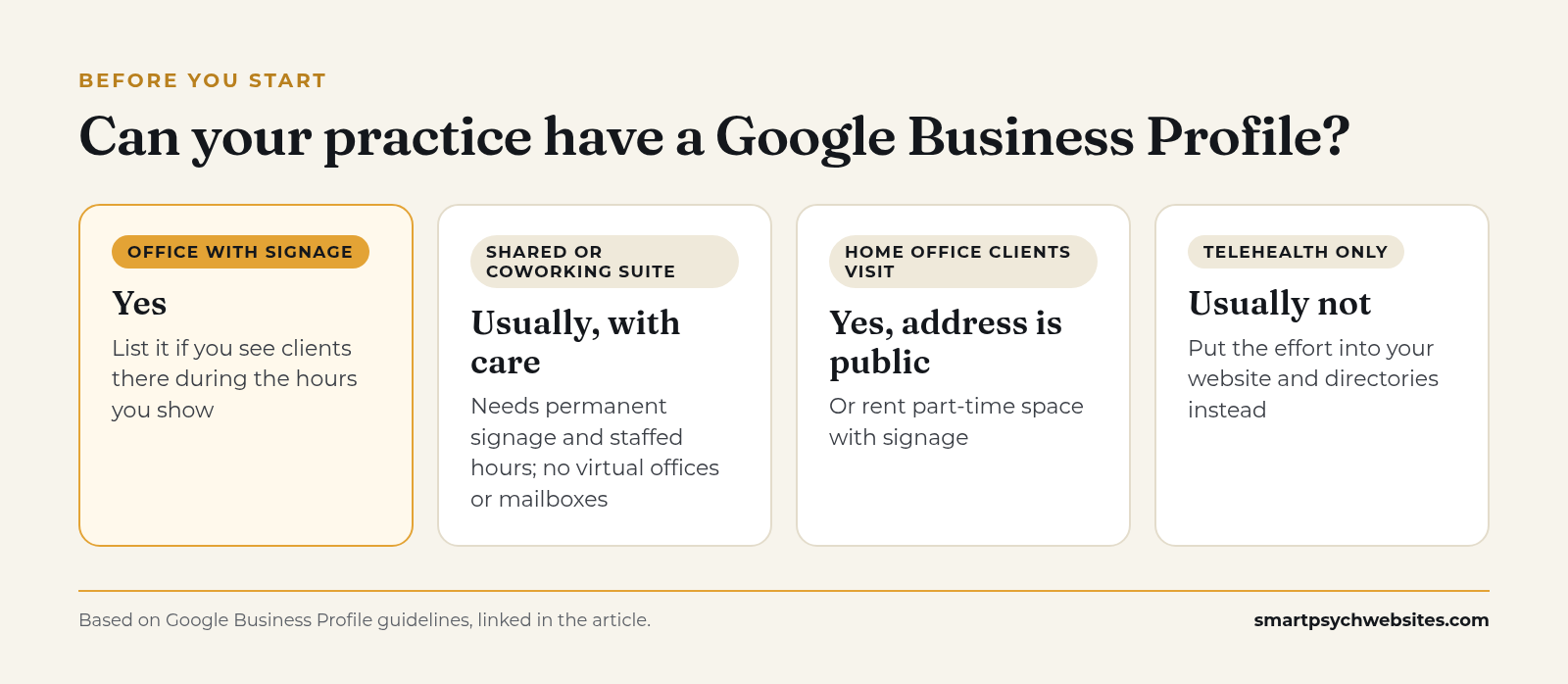 Who can list a profile. Source: Google Business Profile guidelines.
Google's guidelines tie each profile to a real location where the business meets customers during stated hours, or to a service-area business that travels to customers (Guidelines for representing your business on Google). For therapists, that plays out like this.
You see clients at an office
You are eligible. Use the exact street address, and include your suite number on the second address line.
You rent an office part time or share a suite
You can usually list it if you see clients there during the hours you show. Google expects a business that shows its address to have permanent signage there, and it does not accept virtual offices or mailboxes. Coworking spaces only qualify if the office has clear signage and is staffed during business hours.
You see clients from a home office
You can list a home office where clients visit, but the address will be public. If that is not comfortable, many clinicians rent a few hours a week in a shared suite with signage and list that instead.
Your practice is telehealth only
This is the hard case. A practice that only meets clients online does not fit either of Google's location types, and a profile that breaks the guidelines can be suspended. Put your effort into your website and directory profiles instead, and read the guidelines before creating a listing.
You are a solo clinician inside a group
Google lets individual practitioners have their own profiles in some cases. If you are the only public-facing practitioner at a branded location, Google suggests a single shared profile named "[Practice name]: [Your name]."
The setup checklist
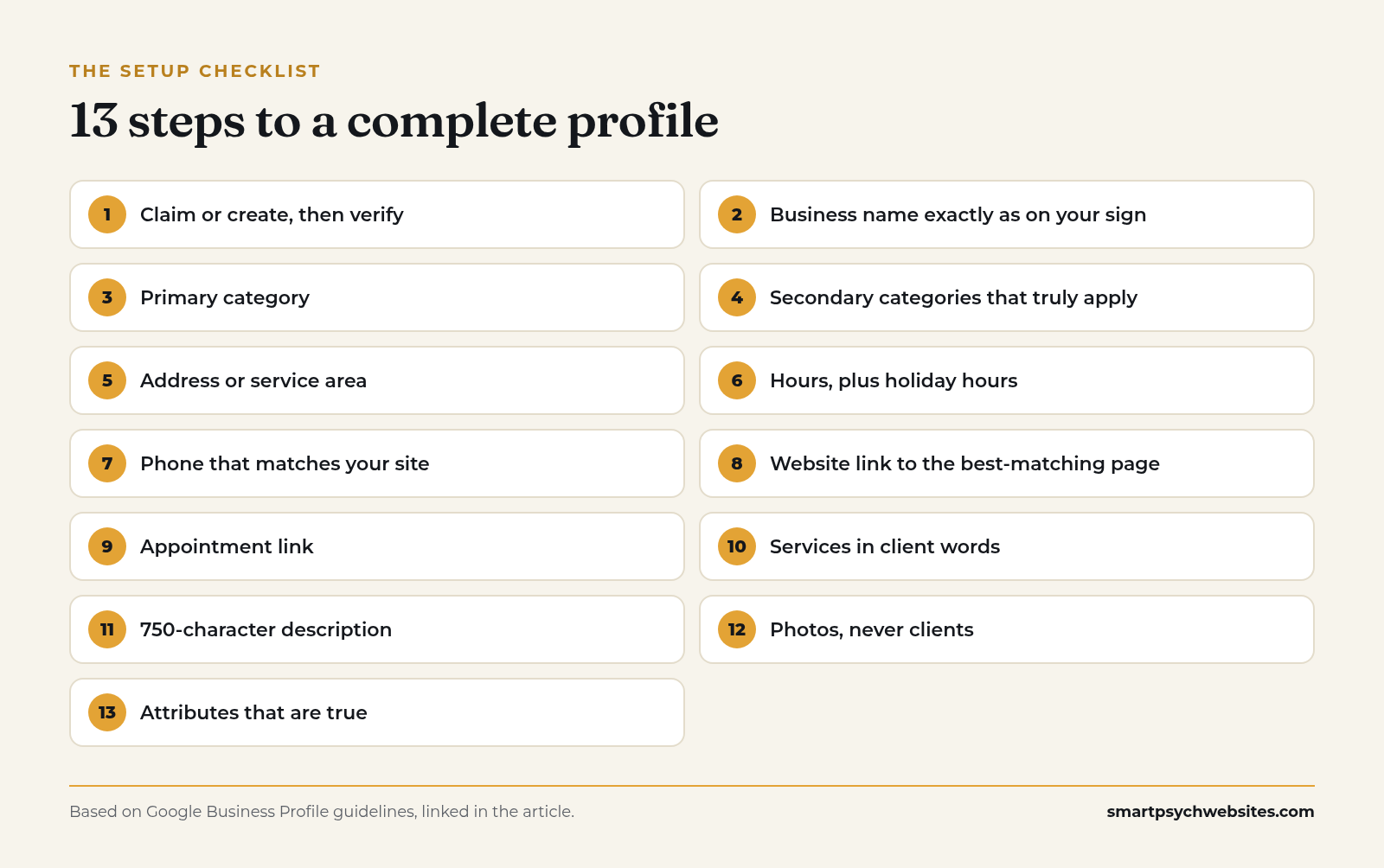 The 13-step setup checklist. Source: Smart Psych Websites.
1. Claim or create, then verify
Search for your practice on Google Maps first. If a listing already exists, claim it instead of creating a duplicate. Then complete verification. Google says verified businesses are more likely to show in results (Tips to improve your local ranking).
2. Business name: exactly as on your sign
Use your real practice name as it appears on your signage, website and paperwork. Do not add "Anxiety Therapy Denver" to the end. Google's guidelines say extra words in the business name are not permitted and can lead to suspension.
If you practice under your own name, use it with your credential only if that is how you present it everywhere else.
3. Primary category
Your primary category tells Google what you are. Start typing and pick the closest match Google offers, such as Psychotherapist, Psychologist, Counselor, Marriage counselor, Family counselor, Psychiatrist or Mental health clinic. Choose the one that describes most of your work.
4. Secondary categories
Add a few that genuinely apply. A practice offering both individual and couples work might use Psychotherapist as primary and Marriage counselor as secondary. Skip categories for services you rarely provide.
5. Address or service area
Enter your office address if clients come to you. Use the service-area setting only if you go to clients, which is rare in therapy. Google explains both options in its help pages (Manage your business address, Manage your service areas).
6. Hours
List the hours someone can reach the practice or be seen. If you only see clients Tuesday to Thursday, say so. Update special hours before holidays so nobody calls a closed office on December 24.
7. Phone number
Use the number on your website, answered by you, your front desk or a voicemail you check daily. The number on Google, your site and your directory profiles should match.
8. Website link
Link to the page that best matches the listing. For a single-location practice that is usually your homepage. For a group with several offices, link each profile to its own location page. Our therapist website design guide covers what that page needs once people land.
9. Appointment link
If you use an online consult scheduler or intake portal, add it as the appointment link. If you prefer a call first, link to your contact page.
10. Services
Add each service with a short plain description: individual therapy, couples therapy, EMDR, medication management, telehealth sessions. Use the words clients search.
11. Business description
You have up to 750 characters. Say who you help, what you help with, where you are, whether you offer telehealth, and how to start. Skip links and promotional language.
12. Photos
Add photos of the building exterior, the entrance, the waiting area and an empty therapy room, plus a professional headshot or team photo. Never include clients. Google has guidance on photo quality and formats (Manage photos and videos).
13. Attributes
Google offers attributes such as wheelchair accessibility and online appointments. Turn on the ones that are true for you.
Reviews: what therapists can and cannot do
Reviews help with local ranking. Google lists review count and rating as part of prominence (Tips to improve your local ranking). For mental health professionals, reviews also carry ethical and legal limits that other businesses do not face.
Asking for reviews
Many professional codes restrict soliciting testimonials from clients. The APA Ethics Code bars psychologists from soliciting testimonials from current therapy clients or anyone vulnerable to undue influence (APA Ethics Code, Standard 5.05). Other professions and state boards have their own rules, so check yours before you ask anyone for anything.
Safer options for most therapists:
- Let reviews arrive on their own, without asking clients
- Ask colleagues, referral partners or workshop attendees who know your work, if your code allows it
- Keep your profile complete and current, which helps ranking without any reviews at all
Google also bans offering anything in exchange for a review and asking for content that does not reflect a genuine experience (Google Maps content policy).
Replying to reviews
Replying is allowed and often helps, but never confirm that the reviewer is or was a client, and never mention treatment, diagnosis or session details. HHS reached a settlement with a psychiatric practice that disclosed patient information in its responses to negative Google reviews (HHS OCR, Manasa Health Center).
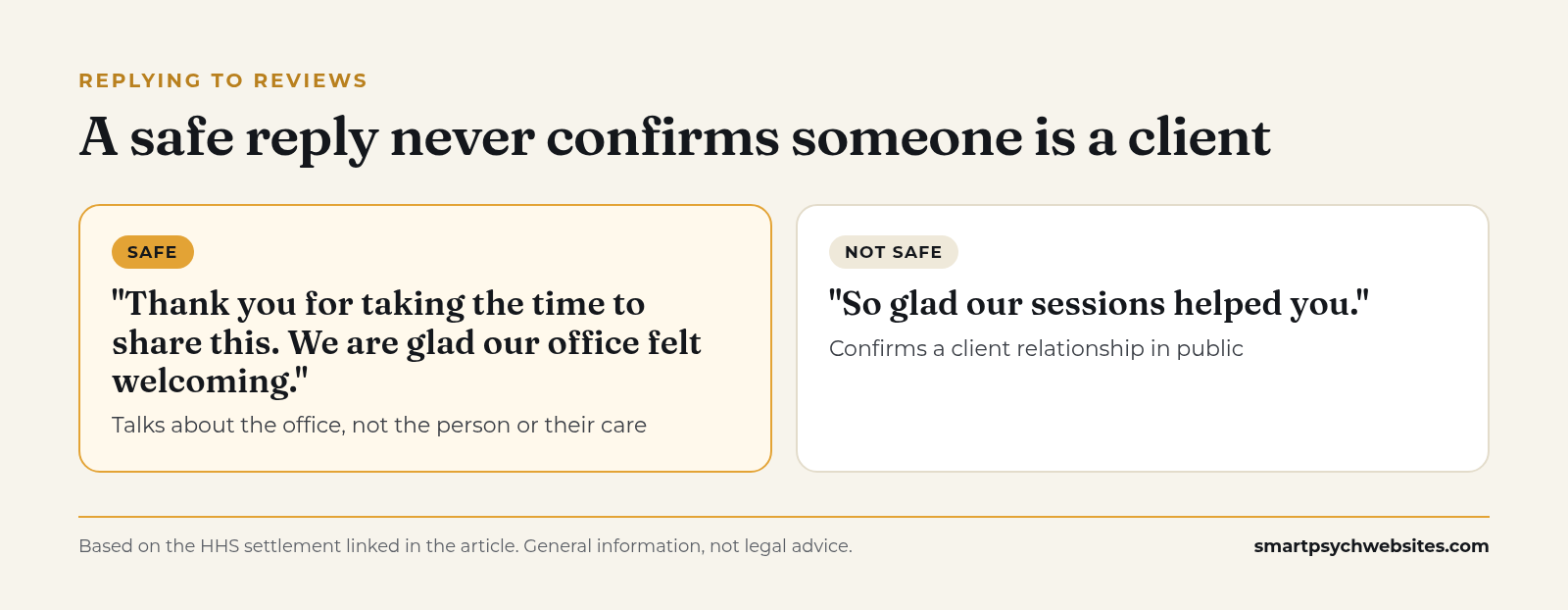 Safe vs unsafe review replies. General information, not legal advice.
Most reviews you reply to will be kind ones. Say thank you, keep it warm and short, and talk about the office, not the person or their care. For example, if a 5-star review says "Easy to book, and the office felt calm and welcoming from the first visit," a good public reply is:
"Thank you for taking the time to share this. We are glad our office felt welcoming."
That reply thanks the reviewer without confirming they were seen, and it says nothing about treatment. Skip lines like "So glad our sessions helped you," which confirm a client relationship in public.
For a negative review, keep the reply just as neutral and move the conversation offline. The FAQ below covers that case.
Handling a review you think breaks Google's rules
If a review is fake, off topic or contains private information, you can flag it for Google to review. Avoid arguing in public.
Keep the profile active
A finished profile still needs a few minutes a month.
- Posts. Short updates about a new group, a clinician joining, a change in availability or a helpful article on your site. Google explains how posts work in its help pages (Create and manage posts).
- Hours. Update before every holiday and any planned time off.
- Photos. Add a new one when the office changes or a clinician joins.
- Suggested edits. Google sometimes accepts edits from the public. Check your profile monthly so a wrong phone number does not sit there for weeks.
Group practices and multiple clinicians
Each office location gets one profile. Individual clinicians can sometimes have their own profiles under Google's practitioner rules, which can help when people search a clinician by name. Keep the practice profile as the main one, make sure every clinician profile links to that person's bio page, and keep phone numbers consistent so calls reach the front desk. Our group practice marketing guide covers how this fits into filling every schedule.
How your profile and website work together
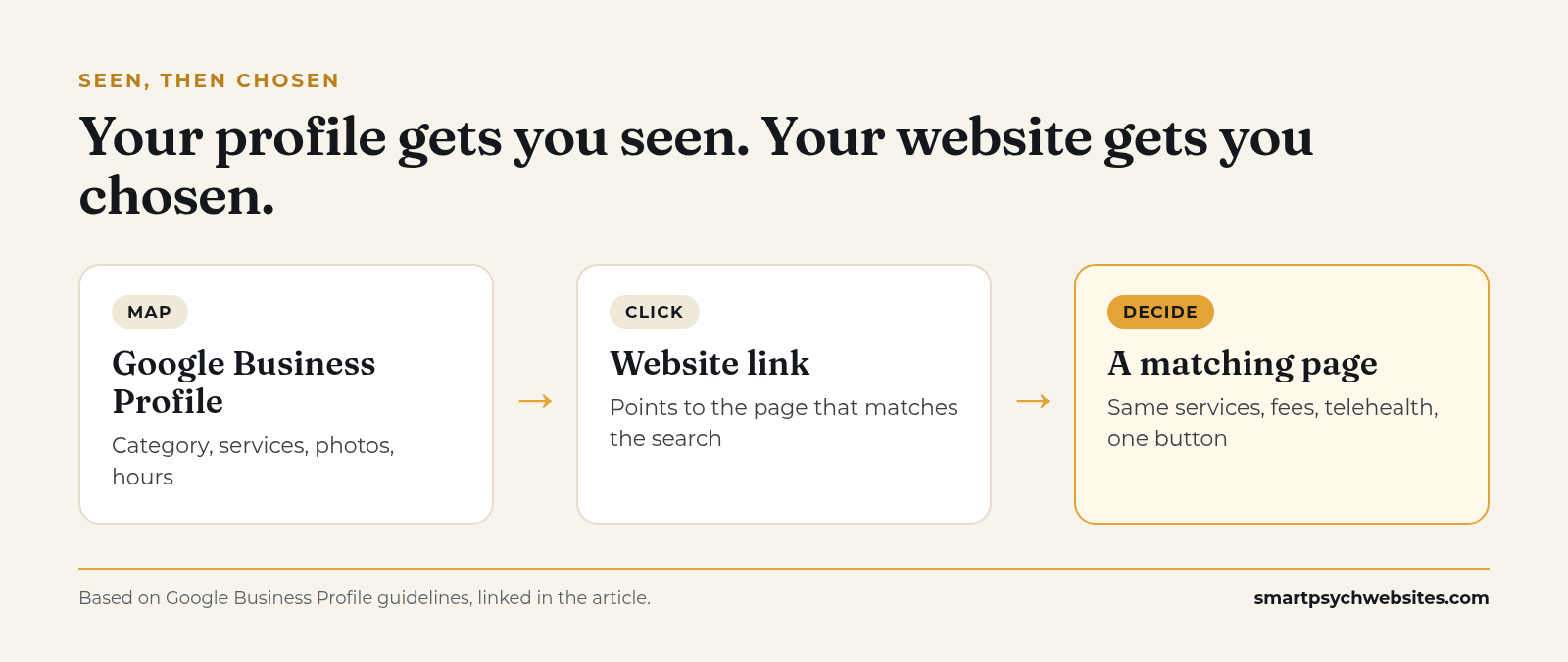 Your profile gets you seen. Your website gets you chosen. Source: Smart Psych Websites.
Your profile gets you seen on the map. Your website is where people decide. If the profile says "anxiety therapy" and the website link lands on a homepage that never mentions anxiety, many people will leave. Match the services on your profile to pages on your site, and match the hours and phone number everywhere.
For the next steps after setup, see Local SEO for Therapists: 5 Fixes You Can Make This Week and Marketing Your Private Practice Without Losing Your Weekends.
What to track
| Metric | Where to find it | What a change tells you |
|---|---|---|
| Calls | Profile performance | Whether people are ready to reach you |
| Website clicks | Profile performance | Whether the profile earns interest |
| Direction requests | Profile performance | In-person demand |
| Inquiries by source | Your intake notes | Whether clicks become clients |
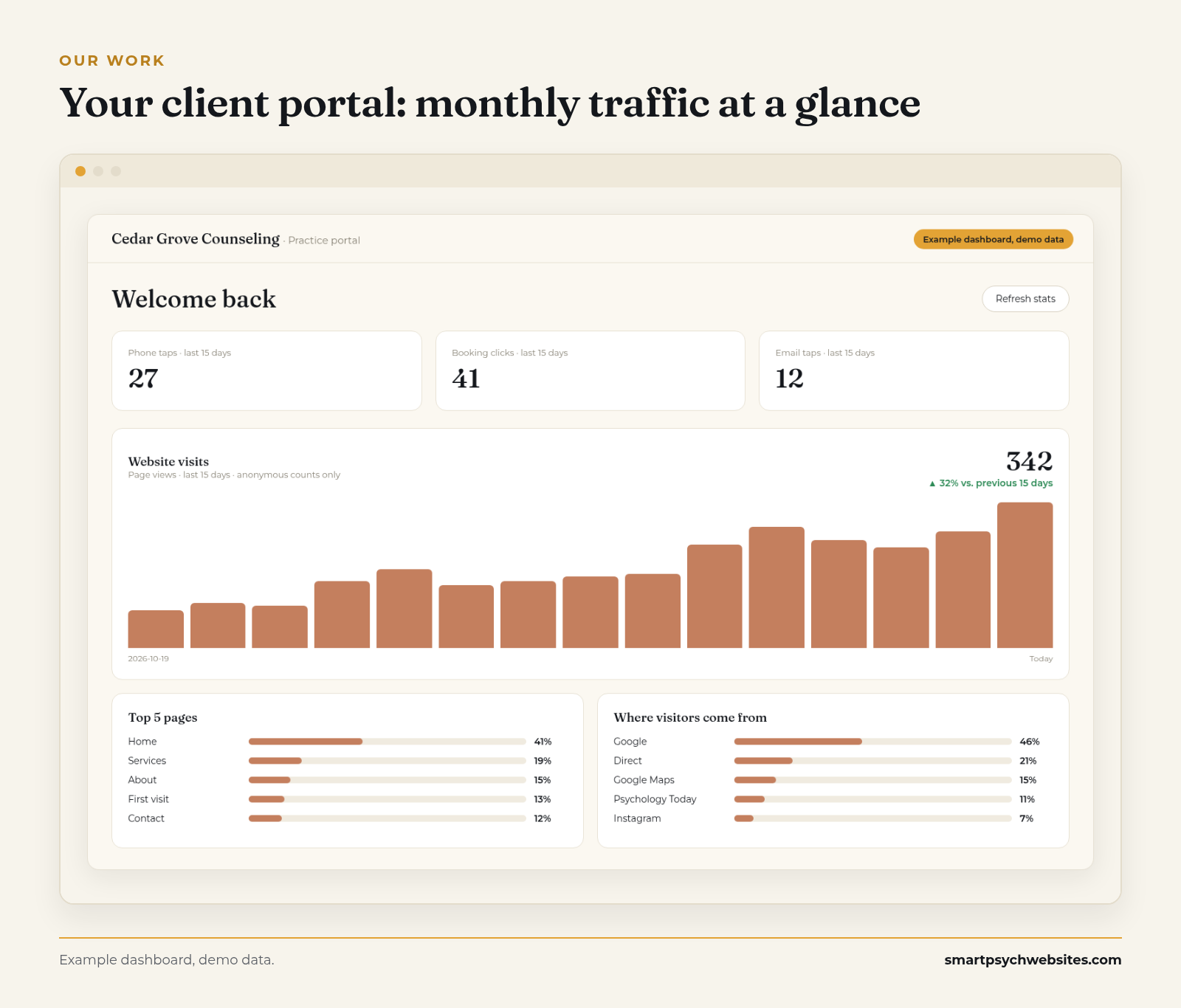 Example dashboard, demo data. Every plan includes the client portal and a monthly traffic report.
Your profile's performance view shows how people found you and what they did, including calls, website clicks and direction requests. Check it monthly next to your inquiries. If profile views rise and calls stay flat, look at your photos, description and the page your website link points to. More on turning those inquiries into booked sessions in How to Get More Therapy Clients.
Get the checklist and your free website preview
The 2027 Get Found Checklist puts this whole setup on one page, along with a Psychology Today profile rewrite and website basics. Comment FOUND on our latest post on Instagram and we will send it to you, or get the free checklist here.
Want your profile to point to a site that turns clicks into calls? Get a free preview of what your practice website could look like. We build it with your details, free and with no call needed.
No website yet? We will show you your practice on one of our mental health templates, with your details, before you pay anything: see your free website preview.
How Smart Psych Websites handles this for you
If you would rather hand it off, our Local Domination plan includes Google Business Profile management plus review collection and responses, on top of your website and monthly SEO articles. Review collection only reaches people your code allows you to ask, never therapy clients, and every reply stays general so it never confirms that someone is a client.
- Starts at $99 a month. See every plan on our pricing page.
- $0 setup fee when you claim your free website within 72 hours of completing onboarding.
- You own your site from day one, and we can launch it in 5 days.
- Built for SEO from day one, structured to show up in Google and in answer engines.
- Made only for mental health practices. Browse our templates.
Our Organic Growth and Local Domination plans come with a 90-day growth guarantee for eligible practices. If we miss the target, your next month is free.*
*Eligibility is confirmed on a quick call. The target is at least 5 organic website inquiries or 500 visitors a month, measured over your first 90 days on the plan.
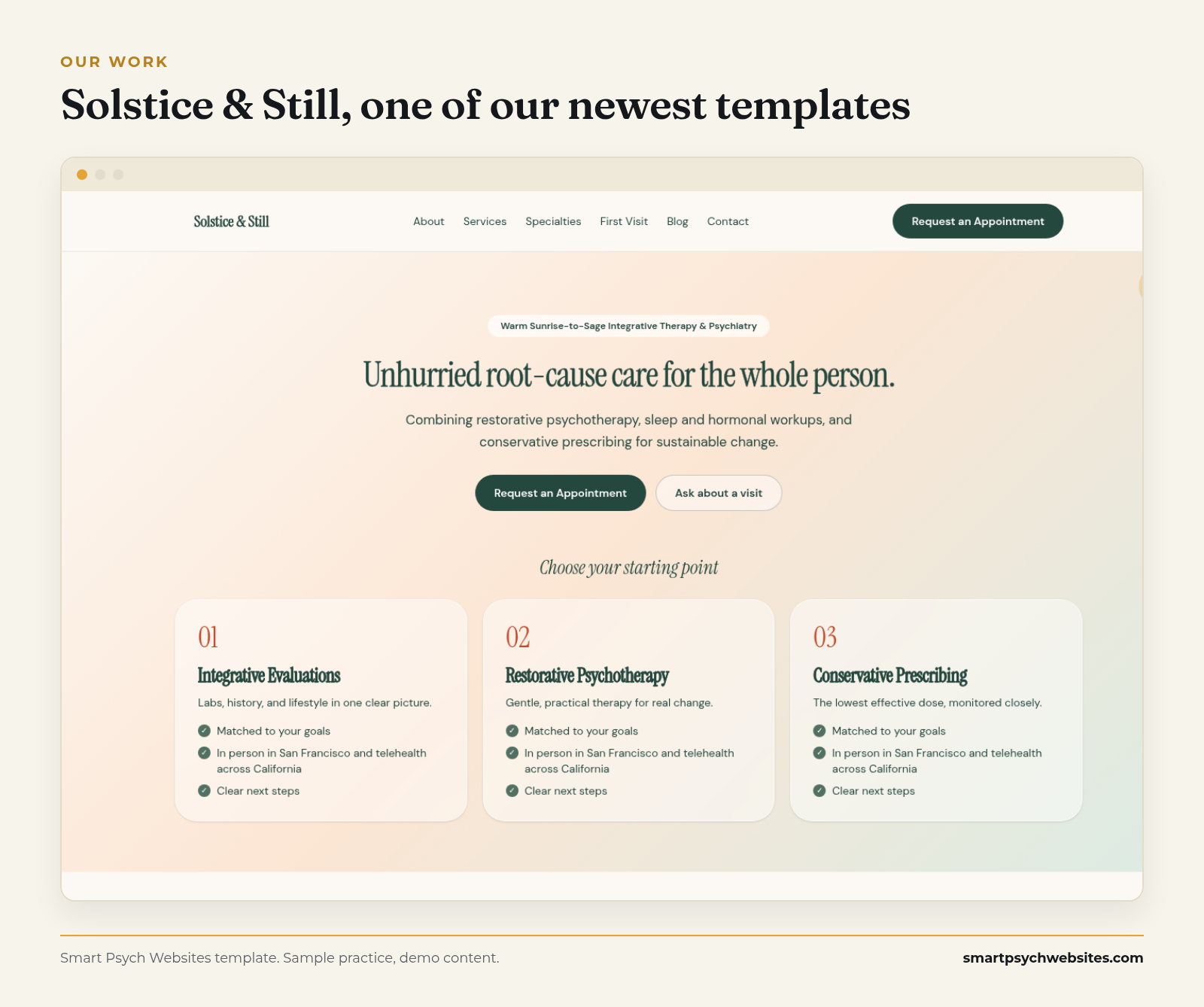 The kind of site your profile should point to: Solstice & Still, one of our newest templates. Demo content.